Container apps
Container apps give a containerized workload a stable application identity. You operate the app—its endpoints, health, dependencies, lifecycle, and telemetry—while its provider manages the lower-level runtime objects needed to run it.
Note
Container apps and their authoring model are in preview. Provider behavior and configuration may change as CloudShell evolves.
What you get
- A durable application boundary. The container app remains the resource you reference even when images, revisions, replica groups, or individual containers change.
- Lifecycle and health. Start and stop the workload, inspect readiness, and follow failures without switching away from Resource Manager.
- Endpoints and routing. See the application endpoint separately from replica-level addresses and runtime routing state.
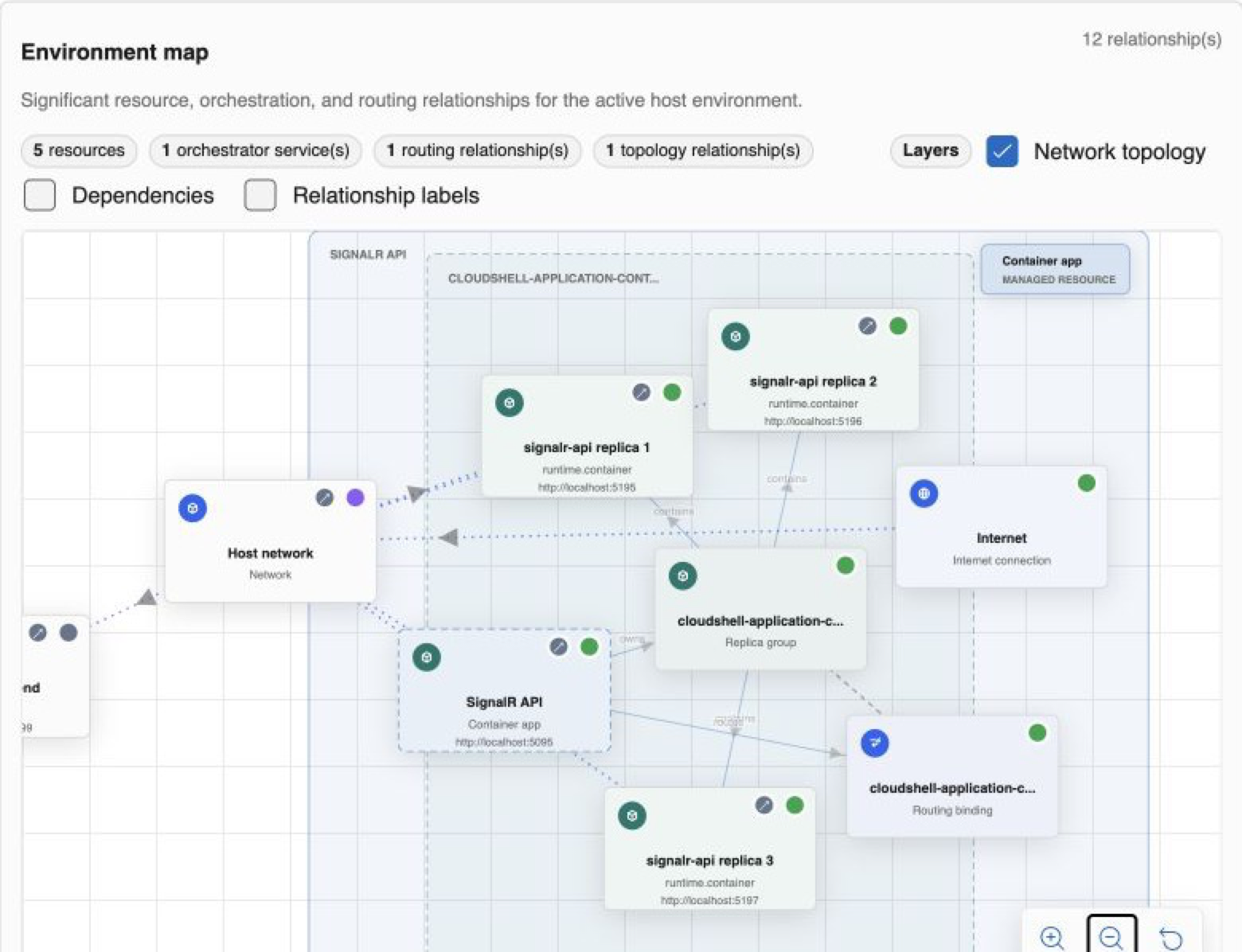
- Scaled runtime visibility. Inspect the active revision, desired capacity, replica group, individual replicas, and the network relationships around them.
- Correlated operations. Move from resource state into logs, traces, metrics, activity, and related resources while preserving context.
Minimal resource template
resources:
  - type: application.container-app
    name: api
    image: ghcr.io/example/api:dev
    replicas: 3
    endpoints:
      - name: http
        protocol: http
        targetPort: 8080
        port: 5080
        exposure: Local
The container app remains the stable resource. The selected provider resolves the image, placement, replica group, containers, and routing needed to realize it.
Declared app and runtime resources
The container app is normally user-authored. Replica groups, replicas, routing bindings, and low-level containers are provider-created or runtime-managed resources. They remain available for diagnosis, but applications should depend on the container app rather than a particular replica.
This separation lets a provider replace a container, roll to a new revision, or reconcile scale without changing the resource identity used by the rest of the environment.
When to choose a container app
Choose a container app when you want to validate the container boundary, run multiple replicas, or move a workload into a shared or self-hosted environment. For the shortest edit-and-run loop against trusted local source, a language-specific application resource such as a .NET app may be a better starting point.
Start with the CLI guide, then use the SignalR container app sample in the repository to explore replicas, routing, health, and telemetry together.